Steps to Convert MBR to GPT Ubuntu / Debian with Images

Step by Step conversion of MBR partition table to GPT & Install Grub-efi
Steps to convert MBR to GPT partition table with UEFI grub.
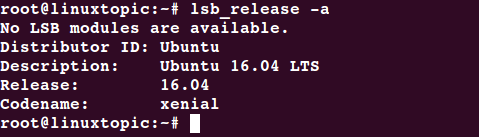
OS & Release :
lsb_release
check to see if /sys/firmware/efi exists.
[ -d /sys/firmware/efi ] && echo UEFI || echo BIOS

Check Disk & Partition
fdisk -l

Here 20GB Disk, 18.3GB / partition & 1.5 GB swap , There are no space left on drive.
EFI required approx 200M space with FAT16/32 file system. So we have to reduce old partition
Check & change your bios setting ( legacy to uefi )
Step 1:
Boot your system using live Ubuntu 16.4 .
Create Live Ubuntu 16.4 Bootable pendrive OR Boot Your system using bootable dvd/cd
Step 2:
After boot check to see if /sys/firmware/efi exists.
[ -d /sys/firmware/efi ] && echo UEFI || echo BIOS

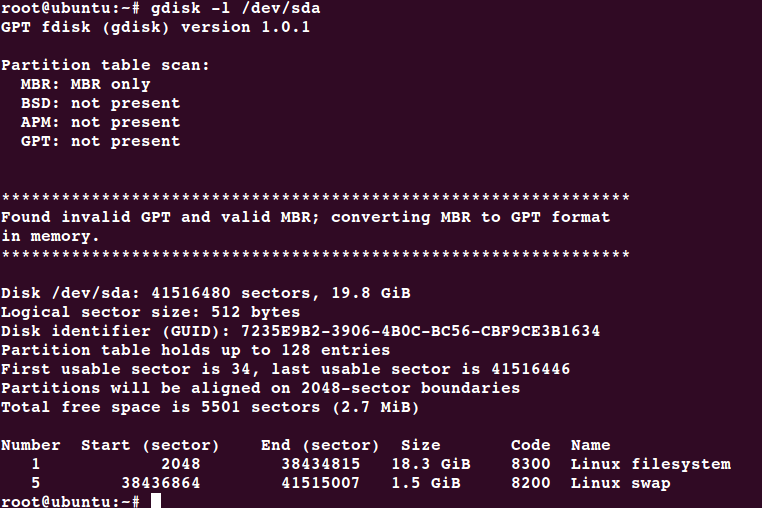
Check disk Partition
gdisk -l /dev/sda
Step 3:
Resize partition - Open gparted
gparted
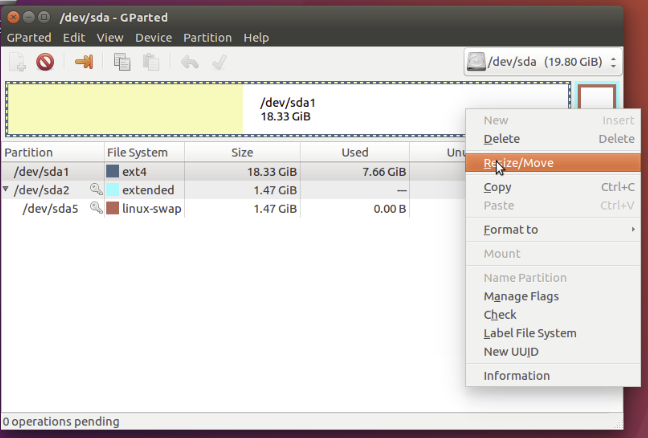
- Select Ubuntu installed disk for resize ( my disk is /dev/sda )
- Right click on partition that you want to resize ( i resize /dev/sda1 )
- Press on “Resize/Move”
EFI partition Required size 200M+ so here shrink 250M from / ( sda1 )
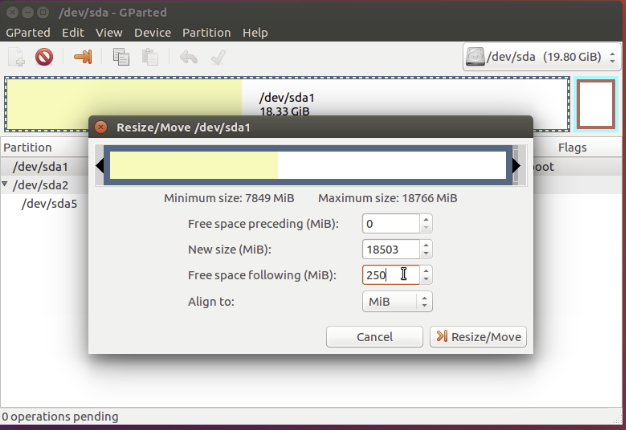
4. Press “Resize/Move” button
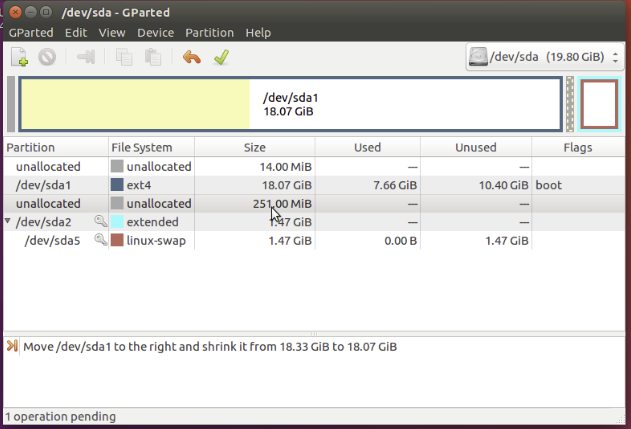
5. Apply Change by Press “Green ✔ check”
Now you have 251 MB unallocated space for create EFI partition
Step 4:
Convert partition table from mbr to gpt
gdisk /dev/sda
Press “r” for Recovery/transformation
Command (? for help): r
Press “f” for load MBR and build fresh GPT from it
Recovery/transformation command (? for help): f

Press “w” for save partition table
Command (? for help): w
Do you want to proceed? (Y/N): Y
Step 5:
Create new EFI partition
gdisk /dev/sda
New partition type “n” and press enter
Command (? for help): n
Press Enter for default or type partition number
Partition number (2-128, default 2): 2
Set Partition size like +200M or press enter for default
First sector (34-41516446, default = 38434816) or {+-}size{KMGTP}:
Last sector (38434816-38436863, default = 38436863) or {+-}size{KMGTP}:
Current type is 'Linux filesystem' Change partition Type ( EFI code is “ef00” )
Hex code or GUID (L to show codes, Enter = 8300): ef00

Press “p” for checking partition table
Command (? for help): p
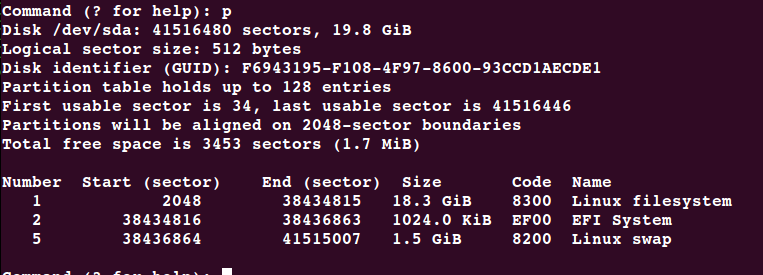
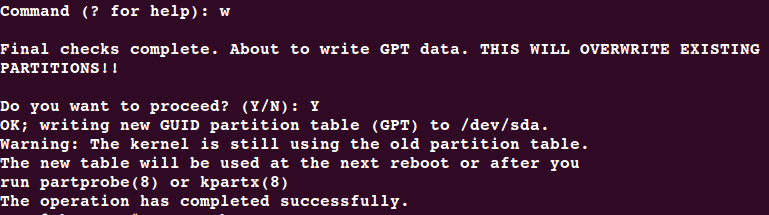
Press “w” for save partition table
Command (? for help): w
Step 6
Update & format EFI partition with fat file system
partprob
mkfs.vfat /dev/sda2

Step 7
Mount the Ubuntu root filesystem ( my root partition is /dev/sda1 )
mount -t ext4 /dev/sda1 /mnt
Note : Here boot partition is present on / , if you have different /boot mount it using “X” is your partition number
mount /dev/sdax /mnt/boot
Create folder :
mkdir /mnt/boot/efi
Mount EFI partition
mount /dev/sda2 /mnt/boot/efi
Mount /dev /proc /sys partition
for i in /dev/ /dev/pts /proc /sys ; do mount -B $i /mnt/$i ; done
OR
mount --bind /sys /mnt/sys
mount --bind /proc /mnt/proc
mount --bind /dev /mnt/dev
mount --bind /dev/pts /mnt/dev/pts
Step 8
Update /etc/fstab
Update the fstab entries in /mnt/etc/fstab to reflect the partition changes above. Compare the UUID’s there with the ones listed here:
ls /dev/disk/by-uuid -lh

Here EFI partition UUID is “ 9B29-29A6 ”
Add EFI Partition entry
vi /mnt/etc/fstab
……..
# EFI Partition
UUID=9B29-29A6 /boot/efi vfat umask=0077 0 1

Step 9
chroot environment
Internet Access required for install grub-efi, update resolv.conf as per your nameserver.
mv /mnt/etc/{resolv.conf,resolv.conf-old}
vi /mnt/etc/resolv.conf
#
nameserver 8.8.8.8
nameserver 8.8.4.4
chroot environment
chroot /mnt
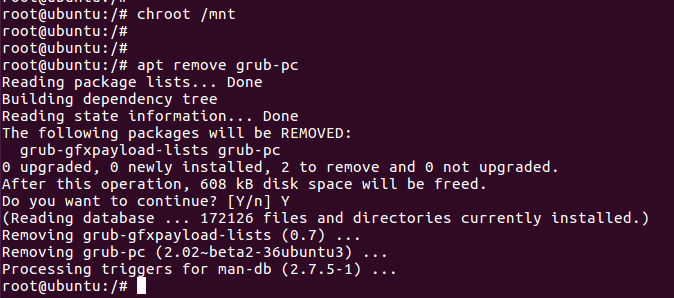
Remove grub-pc
apt-get remove grub-pc
Install grub-efi
apt-get install grub-efi
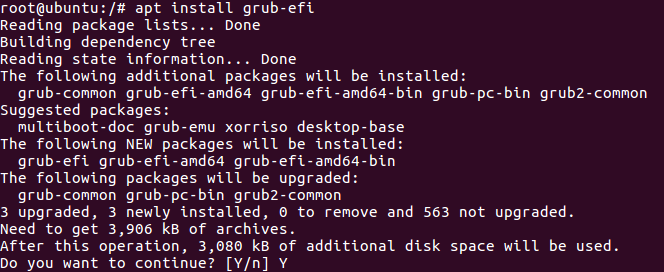
grub-install /dev/sda

Check presence of the efi file:
file /boot/efi/EFI/ubuntu/grubx64.efi

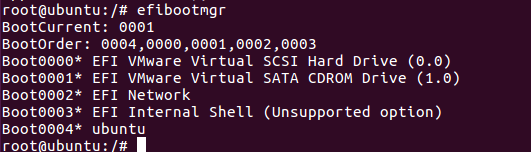
A Boot entry should be listed here:
efibootmgr


Comments
Post a Comment