Posts

Showing posts from 2017

How to autostart openstack instance or VM

Image
Configuring Instances to Start Automatically in OpenStack Open the nova.conf file & find resume_guests_state_on_host_boot property    vi /etc/nova/nova.conf # resume_guests_state_on_host_boot=false # Set the value of the property to true: resume_guests_state_on_host_boot=true systemctl restart openstack-nova-compute Method 2: You can Set the 'autostart' flag so the vm/domain is started upon boot. You can use virsh command just type virsh on terminal & get help for all available option To list all available domain     virsh   To Domain list.     virsh domstats virsh net-list Here is no auto restart VM found Set  'autostart' flag virsh autostart instance-00000001 For autostart you need to use available KVM functionality.

step by step extend volume size in openstack

Image
Openstack Extend Volume Step 1: View the current  volume groups by “pvs” command pvs /dev/loop0 is cinder-volumes lvm2, its 20 GB volume   Step 2: Increase the capacity of the volume group by creating a new partition             cd  /var/lib/cinder dd if=/dev/zero of=cinder-volumes1 bs=1 count=0 seek=50G Here: cinder-volumes = file name 50GB        = new volume size Step 3: File is associated to the loop device /dev/loop1 losetup /dev/loop1 cinder-volumes1 Step 4: Create partition using fdisk fdisk /dev/loop1 Create New Partition : Command (m for help): n Partition type:     p   primary (0 primary, 0 extended, 4 free) e   extended Select (default p): p Partition number (1-4, default 1): 1 First sector (2048-104857599, default 2048):      #Enter Using default value 2048 Last sector, +sectors or +size{K,M,G} (2048-104857599, default 104857599):  #Enter C...

Steps to Convert MBR to GPT Ubuntu / Debian with Images

Image
Step by Step conversion of MBR partition table to GPT & Install Grub-efi Steps to convert MBR to GPT partition table with UEFI grub. OS & Release :     lsb_release check to see if /sys/firmware/efi exists. [ -d /sys/firmware/efi ] && echo UEFI || echo BIOS Check Disk & Partition     fdisk  -l Here  20GB Disk, 18.3GB / partition & 1.5 GB swap , There are no space left on drive. EFI required approx 200M space with FAT16/32 file system. So we have to reduce old partition Check & change your bios setting ( legacy to uefi ) Step 1: Boot your system using live Ubuntu 16.4 . Create Live Ubuntu 16.4 Bootable pendrive OR  Boot Your system using bootable dvd/cd Step 2: After boot check to see if /sys/firmware/efi exists. [ -d /sys/firmware/efi ] && echo UEFI || echo BIOS Check disk Partition gdisk -l /dev/sda Step 3: Resize partition - Open gparted gparted Select Ubuntu installed disk for resize ( my disk ...

step by step upgrade php5.4 to php5.6

Image
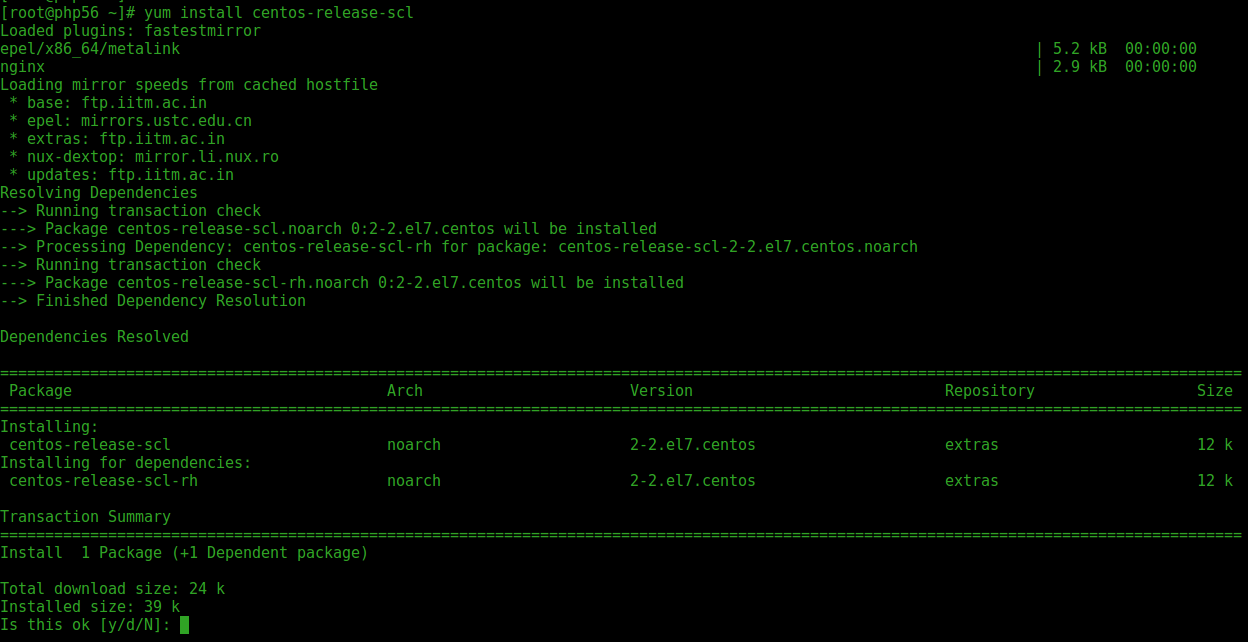
How to Upgrade PHP version 5.4 to 5.6 on CentOS/RHEL  Step 1: Install the Centos SCL repository    yum install centos-release-scl Step 2: List PHP5.6 Package     yum list rh-php56\* Install 5.6 yum install rh-php56-php-devel yum install rh-php56-php rh-php56-php-devel rh-php56-php-mbstring rh-php56-php-gd rh-php56-php-fpm rh-php56-php-mysqlnd libxml2-devel PHP 5.6 File Structure : Configuration File (php.ini) Path            /opt/rh/rh-php56/root/etc Loaded Configuration File                        /opt/rh/rh-php56/root/etc/php.ini Scan this dir for additional .ini files       /opt/rh/rh-php56/root/etc/php.d command path                          /opt/rh/rh-php56/root/bin/...

Upgrade php5.4 to php5.6

Image
How to Upgrade PHP version 5.4 to 5.6 on CentOS/RHEL  Step 1: Install the Centos SCL repository    yum install centos-release-scl Step 2: List PHP5.6 Package     yum list rh-php56\* Install 5.6 yum install rh-php56-php-devel yum install rh-php56-php rh-php56-php-devel rh-php56-php-mbstring rh-php56-php-gd rh-php56-php-fpm rh-php56-php-mysqlnd libxml2-devel PHP 5.6 File Structure : Configuration File (php.ini) Path            /opt/rh/rh-php56/root/etc Loaded Configuration File                        /opt/rh/rh-php56/root/etc/php.ini Scan this dir for additional .ini files       /opt/rh/rh-php56/root/etc/php.d command path                          /opt/rh/rh-php56/root/bin/...